cPanel
DirectAdmin
KVM VPS
Services
cPanel
Shared Hosting Reseller HostingDirectAdmin
Shared Hosting Reseller HostingInformation
cPanel Features DirectAdmin Features cPanel vs DirectAdminCrownPanel is built and maintained by CrownCloud - not licensed or white-labeled from a third party. Every feature is designed around the way our infrastructure actually works. Manage snapshots, backups, console access, SSH keys, monitoring, and more from one place.
Control Panel
In-house
Built & maintained by CrownCloud
Console access
noVNC
Browser-based · No client needed
API
REST / JSON
Full automation support
2FA
TOTP
Authenticator app · Backup codes
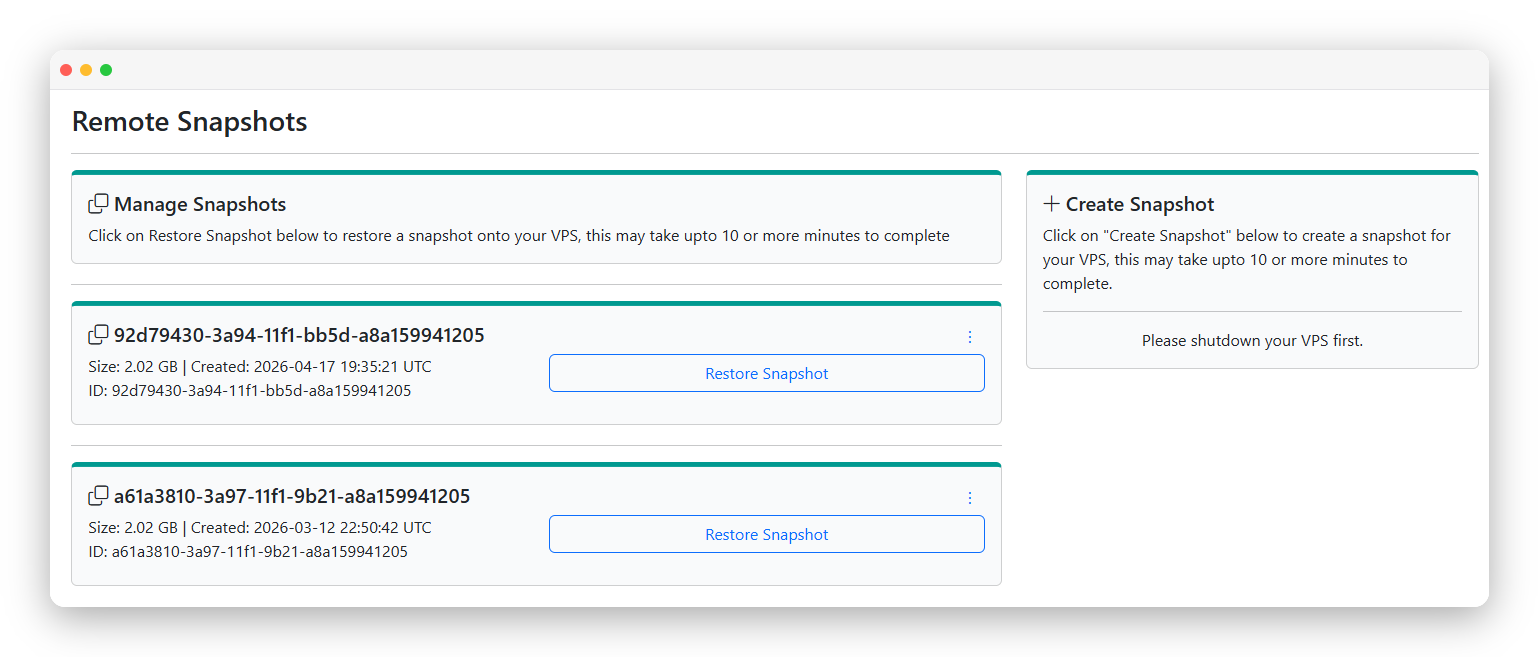
A snapshot is a full point-in-time image of your VPS disk, stored remotely on separate infrastructure. Shut the VPS down, take the snapshot, boot back up - then restore to that exact state any time if something goes wrong.
Snapshots are available on SSD and NVMe plans only. Storage VPS plans are not supported due to the volume sizes involved.
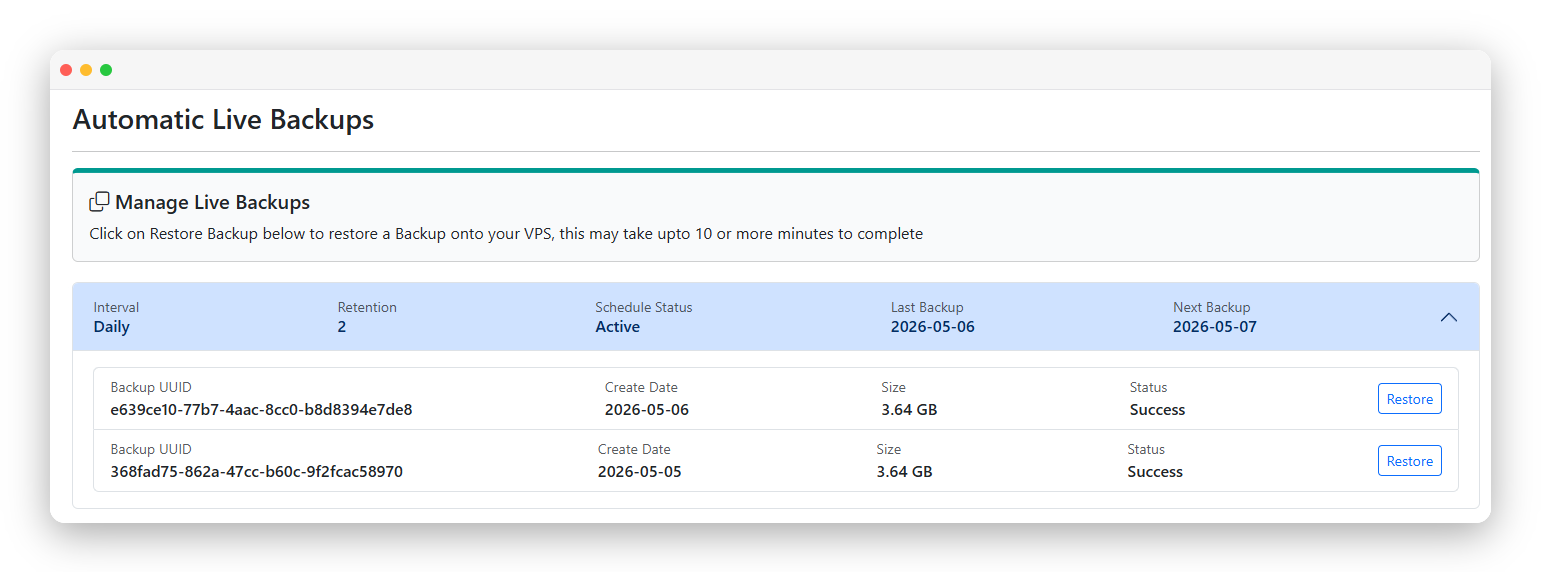
Live backups run on a schedule you define - daily, weekly, or monthly - without interrupting your running VPS. Each backup is a full restorable image. Add it to any SSD or NVMe plan for a small monthly fee, then set it and forget it.
Live Backups are available as a paid add-on at a nominal monthly fee. Enable them from CrownPanel or at checkout when ordering a plan.
Available on SSD and NVMe plans only. Storage VPS plans are not supported.
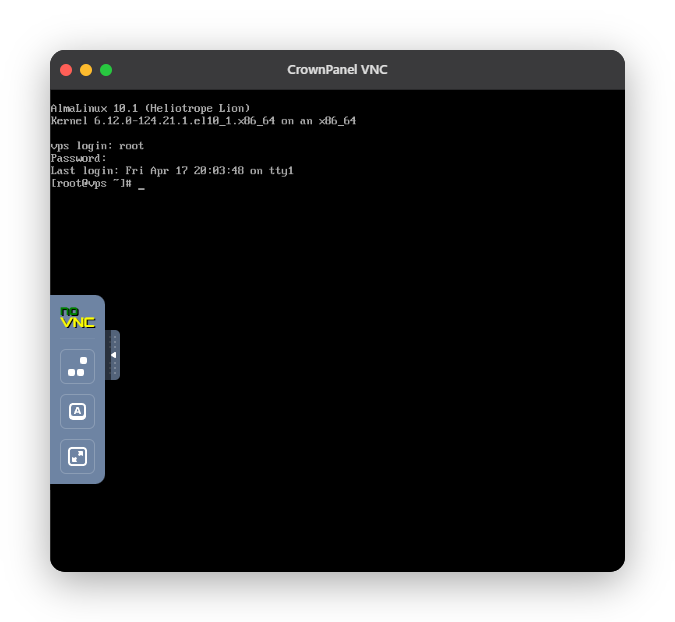
Locked yourself out? Misconfigured a firewall rule? VNC console gives you direct keyboard and video access to your VPS - completely independent of the network. No SSH required. Works from your browser.
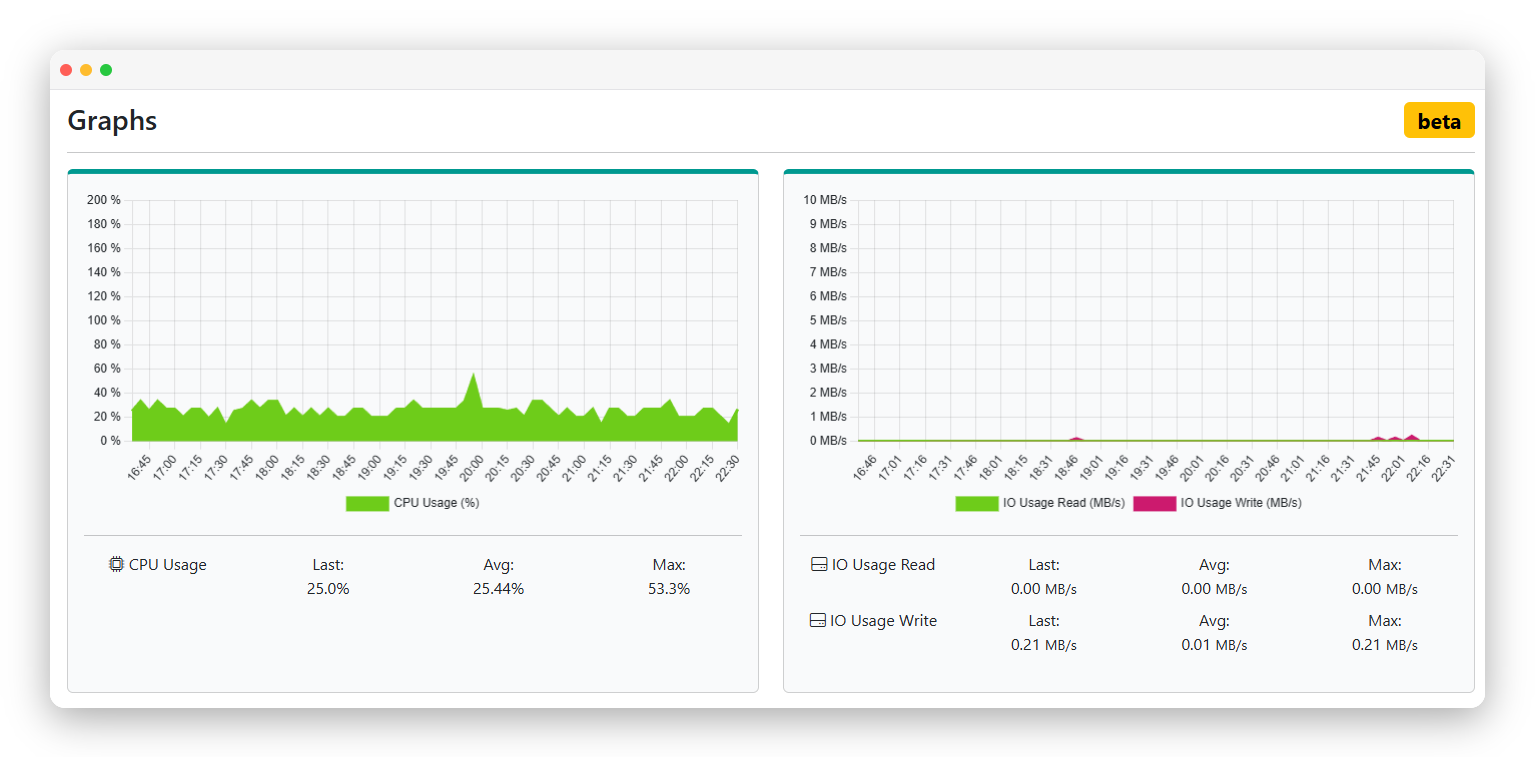
CrownPanel shows live and historical graphs for CPU and disk I/O directly on your VPS dashboard. No third-party monitoring tools needed to get a quick read on your server's health.
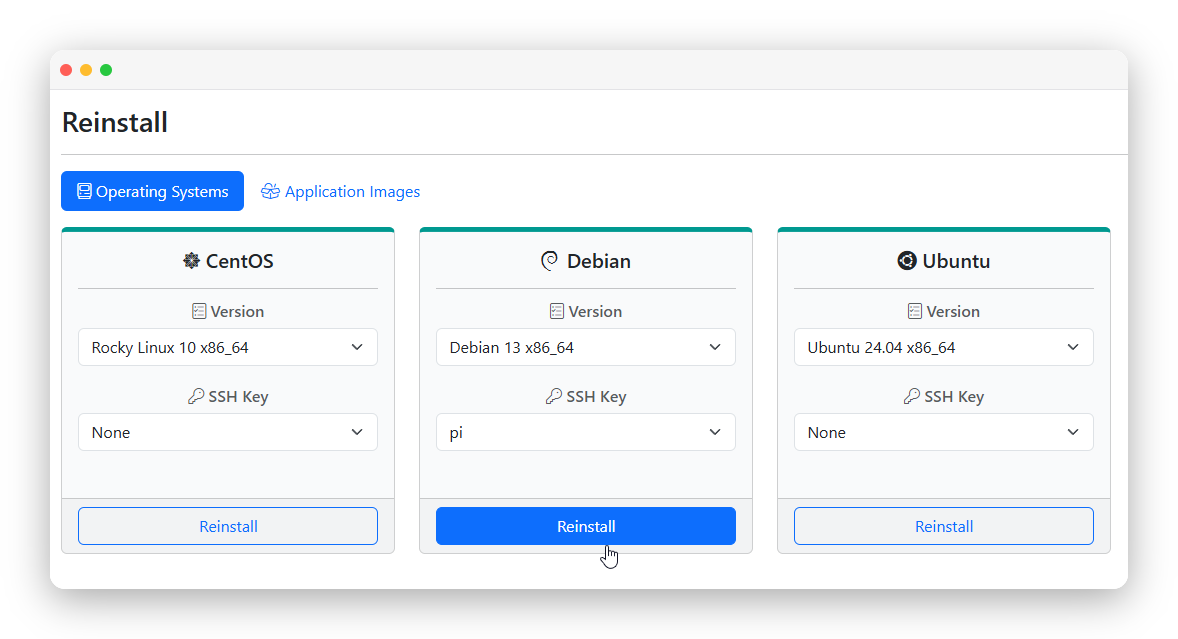
Need to wipe and start over? Choose a new OS, confirm, and CrownPanel handles the rest. No support ticket. No waiting. Your VPS is back with a clean install in under two minutes.
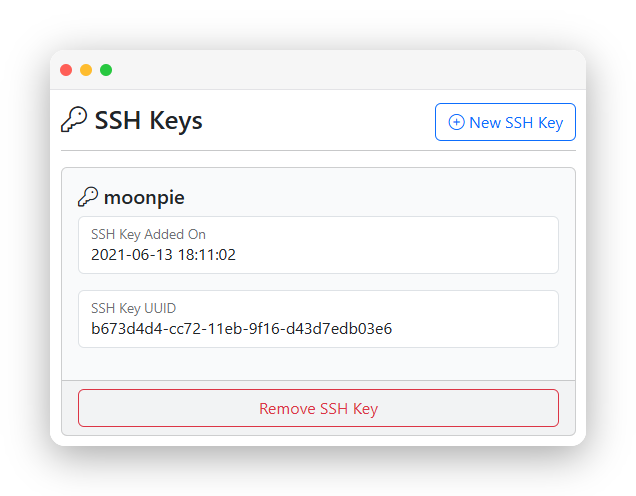
Upload your SSH public keys once to CrownPanel. When reinstalling, select which keys to inject - no copy-pasting into authorized_keys by hand.
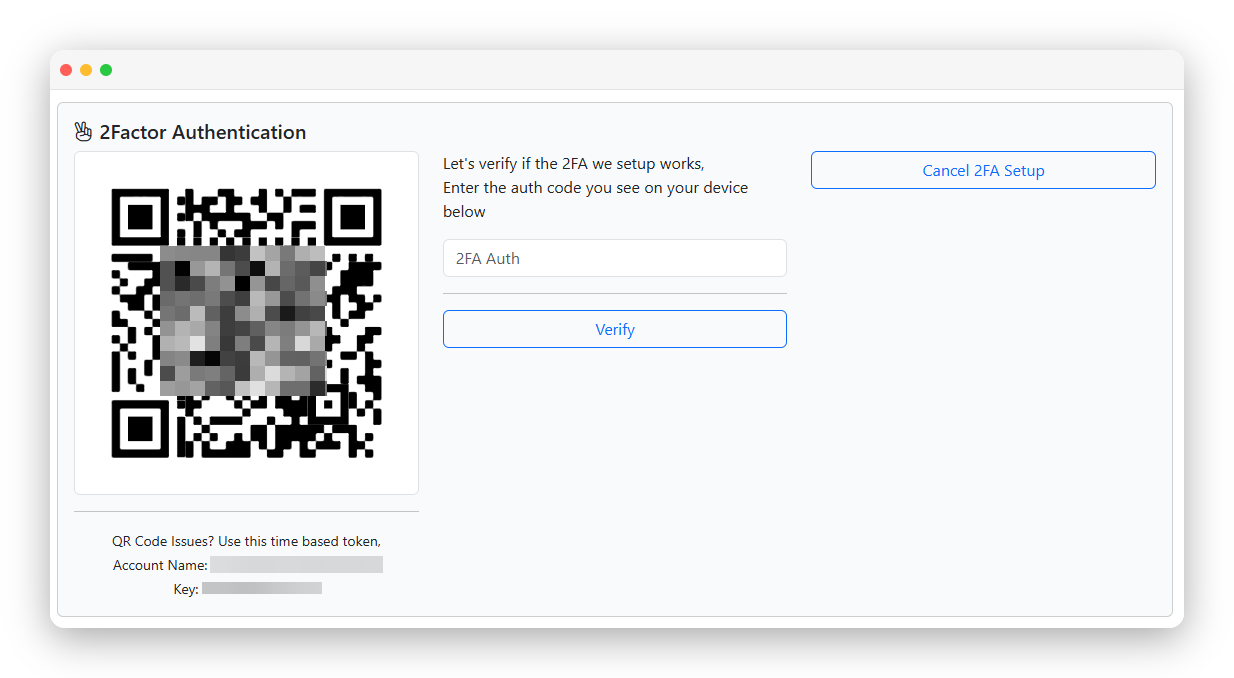
Two-factor authentication adds a time-based one-time code requirement to every CrownPanel login. Even if your password is compromised, your VPS and billing data stay protected.
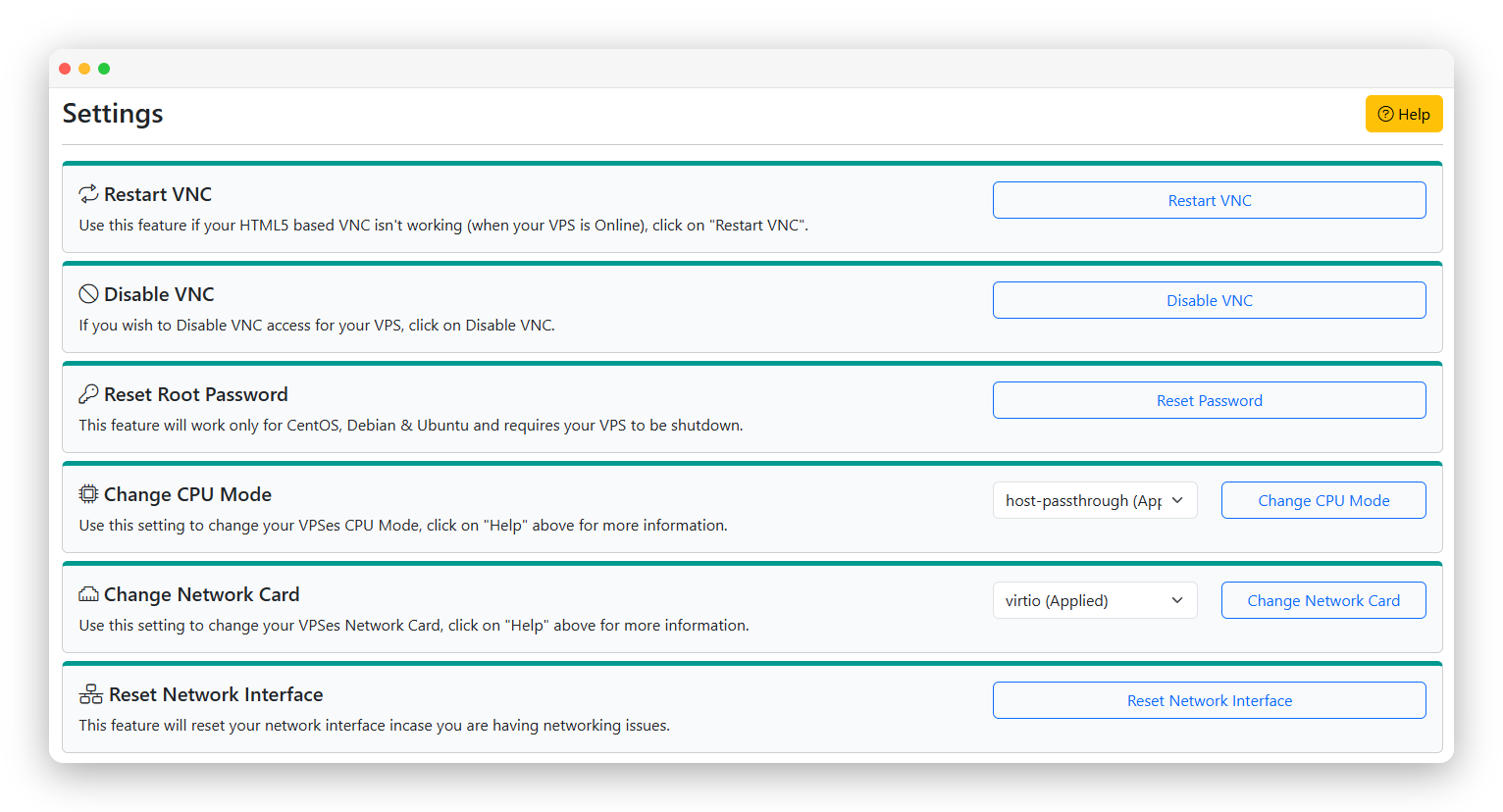
Nested virtualization is enabled at the hypervisor level on all CrownCloud VPS plans - there's no toggle to flip. The CPU mode is set to host-passthrough by default, which exposes the host's virtualization extensions (vmx / svm) directly to your VPS and makes nested VMs and containers work out of the box.
Common use cases
Other settings on this page
Restart VNC - Restart the noVNC service if console access stops responding.
Reset Root Password - Reset your root / administrator password. VPS must be shut down first.
Reset Network Interface - Fix networking issues without a full reboot.
Verify nested virt is active with cat /proc/cpuinfo | grep vmx (Intel) or grep svm (AMD). If the flags aren't showing, open a support ticket and we'll check the node config.
Every feature on this page is backed by our 24/7 in-house support team. Not a call center - the same engineers who built the infrastructure answer your tickets.